Requirements traceability
Keep the reason attached to every result.
Connect the exact requirement in a document to implementation tasks and Test Cases. Follow the links and inspect the evidence behind the work.
Start with the source.
Link a document block or selected text, so the acceptance rule is close to the implementation. Source previews and return links keep the original context within reach.
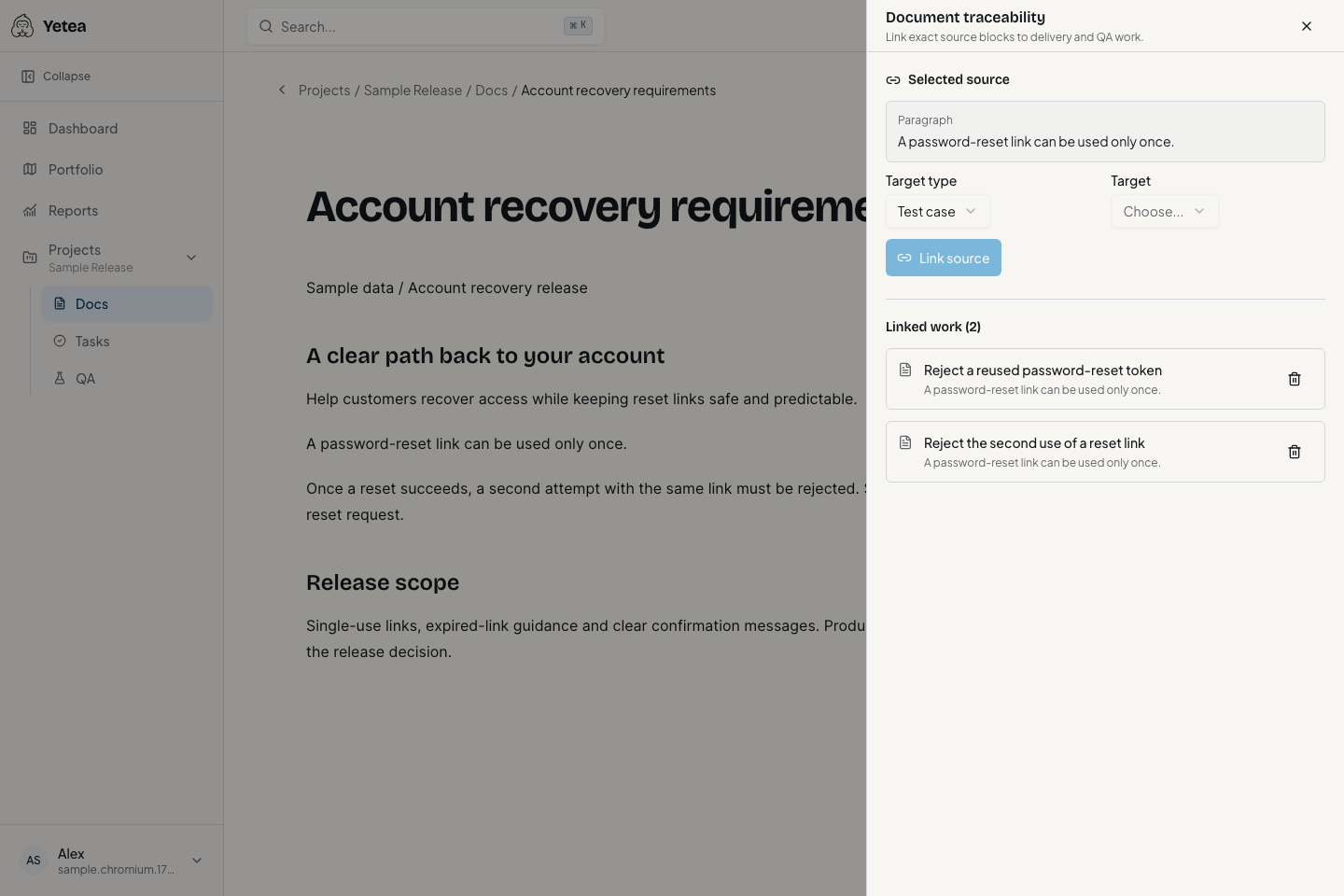
Connect implementation and verification.
A task can have several Test Cases, and a Test Case can verify several tasks. See linked coverage beside the task without conflating its workflow status with QA evidence.
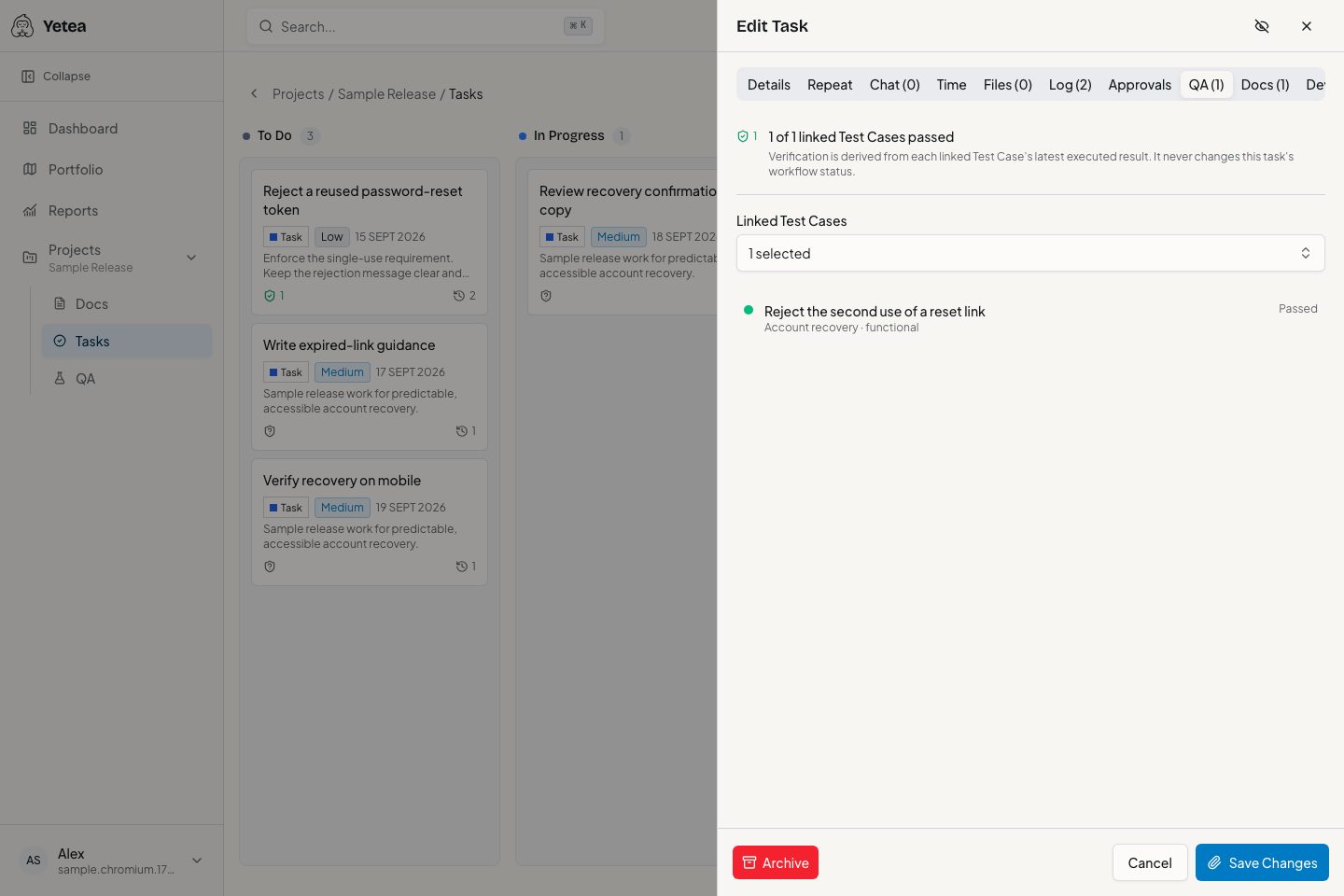
Read status without confusing it with proof.
- No coverage
- No Test Case is linked to the task.
- Untested
- Linked coverage lacks required execution evidence.
- Passed
- Every linked case passed in its latest relevant execution.
- Failed
- Linked evidence contains a failed result.
- Blocked
- Linked verification is blocked, distinct from functional failure.
- Stale
- A linked Test Case changed after its latest execution.
Mixed results follow the product's risk precedence. These signals are not a readiness score or proof of the absence of bugs. Task completion stays under human control.
Recognize when evidence needs attention.
Editing a Test Case can make its earlier execution stale. Removing a source block can produce a stale-source warning. These are distinct conditions: a general requirement edit does not automatically invalidate all connected tests.
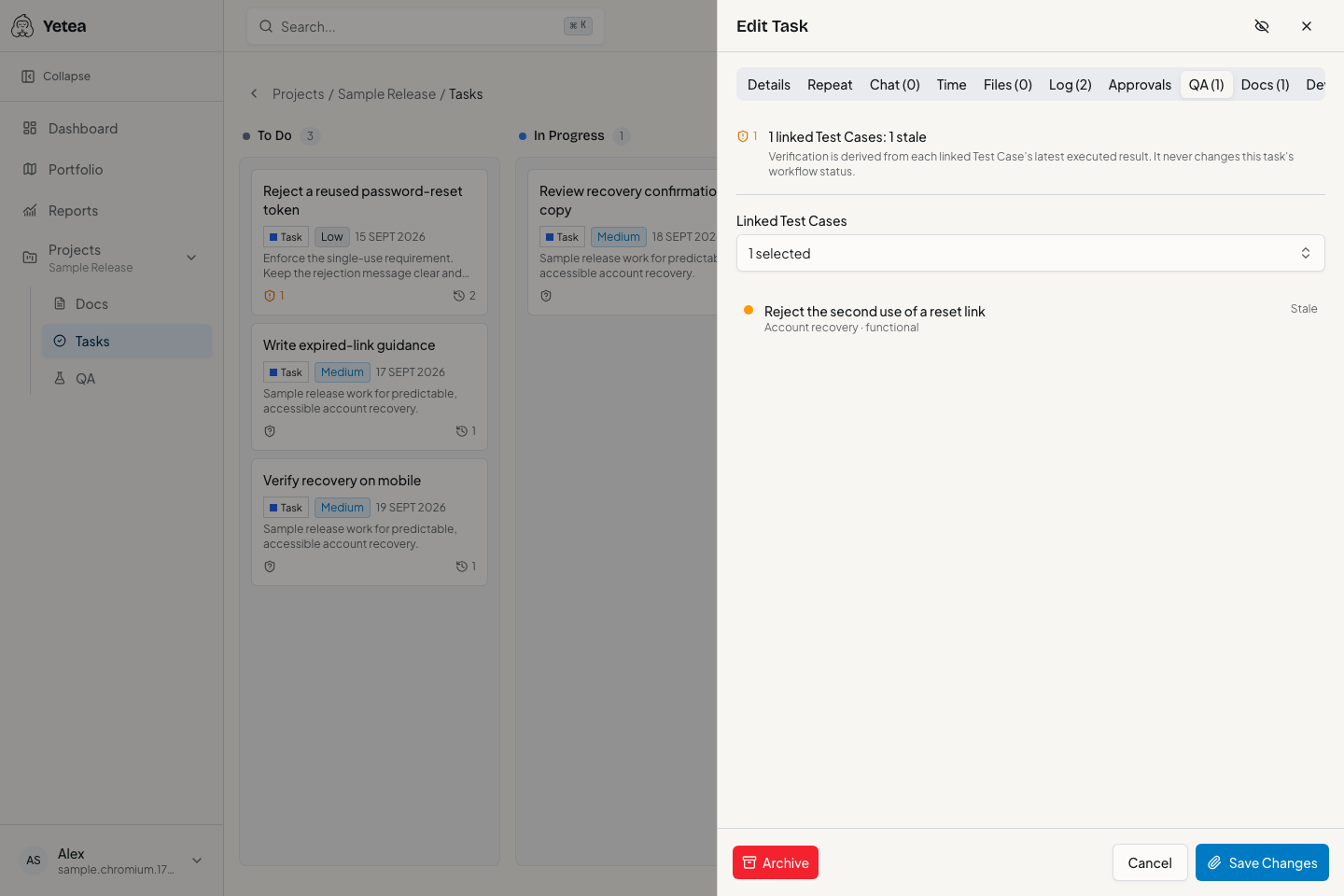
Put the connection to work.
Ship confidently. Breathe easy.
Make your next release
easier to account for.
Keep the requirement, the work, and the test evidence together. Start with one real project.